Dear HarmonySite administrator,
Here are the latest additions to the HarmonySite software...
Event limits on available members now extended to each section
As you may know, when you set up Availability and Attendance tracking for an event, it's already possible to specify a LIMIT on how many members can make themselves available, so that you don't overcrowd the venue, etc. Now, in the interests of maintaining a balanced sound, it's possible to set limits on each SECTION as well...
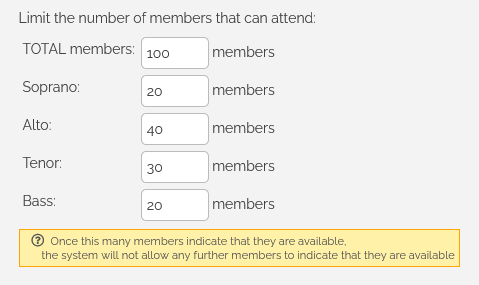
So now, when a member attempts to indicate their availability, the system checks TWO limits: The "TOTAL" limit, and the limit for their voice part. If EITHER limit is reached, the member's attempt to register for the event will not be accepted.
Notes
- All these limits are completely OPTIONAL
- It's not necessary to make the numbers of all the section limits add up to the total limit (as in the screenshot above)
- If a member does not have a section (e.g. your music director), then only the "TOTAL" limit is checked.
Members can now make credit card payments to the group without an invoice/order/etc
Many groups are using the HarmonySite software for issuing invoices to members for their regular membership fees. Many other groups have their own invoicing systems, but still wish to offer their members an easy way to pay their invoices (or any other amounts) by credit card. This is now possible, and easy...
There's an existing page in your HarmonySite for connecting to the Stripe payment gateway (so that you can accept credit card payments for tickets, invoices, orders, donations, etc). You can find that page by clicking the link called "Connect to Stripe Payment Gateway", in the "Financials" section of your Admin Dashboard. AFTER you have connected to Stripe, that same page will now show the following new section...
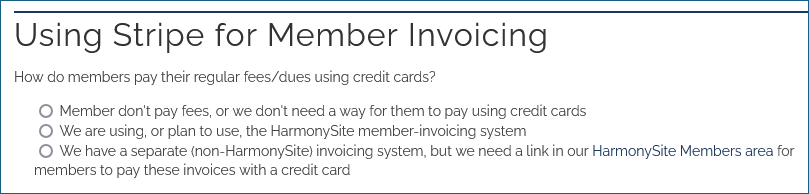
If you click the third option, you'll see this..
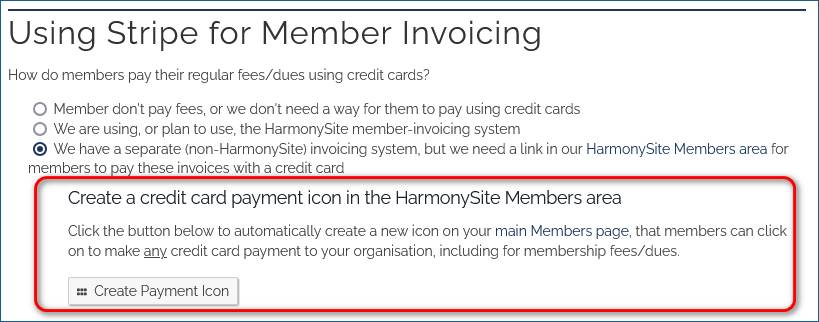
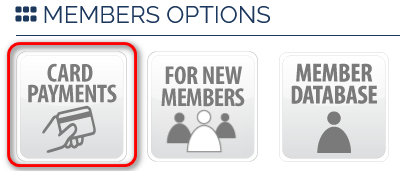
Clicking that button will create a new custom "Stripe payment link" for your Stripe account, and then create an icon on your main Members page that opens that link. The icon looks like this...
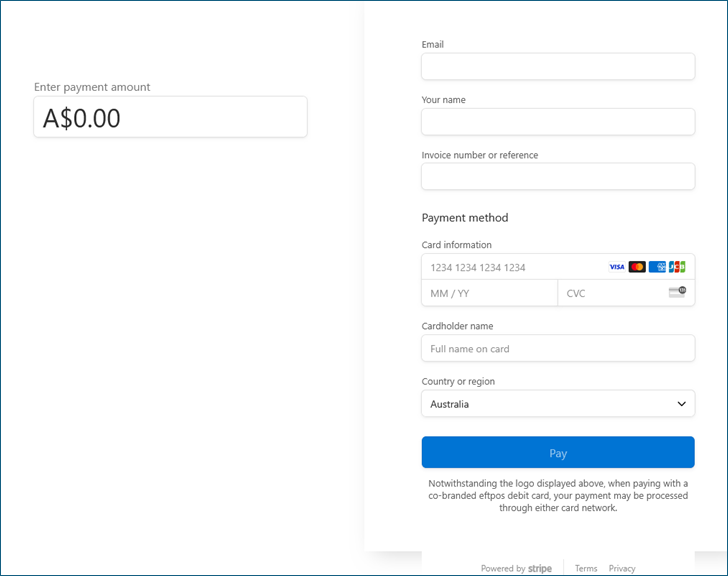
If a member clicks that new icon, they'll be taken to a page that looks like this, where they can send ANY amount of money to the group via a credit card, paid into the group's Stripe account...
Members Area icons that are just links to other websites now work in the App
That new "payment" icon that we just described above, if created, should obviously be included in the HarmonySite App. We've just adjusted the App so that ALL such Members Area icons (icons that are simply links to third-party websites, such as the Stripe payment page) can now be shown in the App.
In order for such icons to be displayed in the App, you need to manually configure the App to show them. This is done in your HarmonySite, on the "APP" page. On that APP page, below the QR code, there's a list of icons that can be shown in your App. This list will now include any icons from your main Members page that are simply links to other websites. If you want one of these icons included in the App, then click the "enable" button for that icon.
If a member clicks one of these icons in the App, the website will open in the device's default browser (not in the HarmonySite App itself).
Enjoy!
In harmony,
Mark Virtue
HarmonySite
Australia
+61 2 8005 4277 (Australian number)
In North America, call: 1-415-651-7009 (San Francisco number)
Skype name: mvirtue